InkyCal
Display your Google Calendar right on your Inky Frame e-paper device.
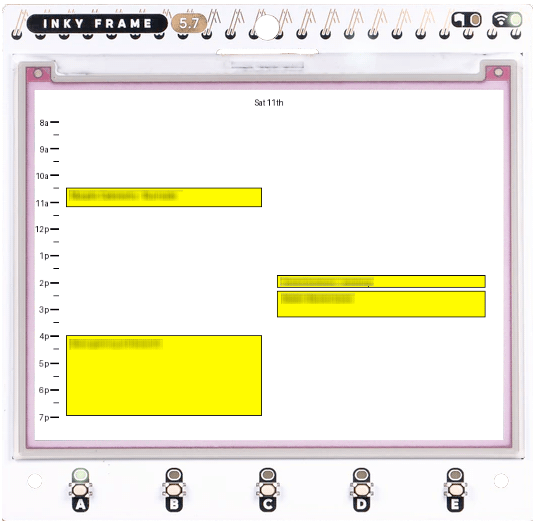
InkyCal connects your Google Calendar to Inky Frame 5.7", a low-power e-paper display by Pimoroni.

See your live schedule, appointments, and reminders from Google Calendar on a crisp, always-on Inky Frame—perfect for your office, kitchen, or bedroom wall.
Easy Setup: 3 Steps

  • 1Authenticate with Google Calendar
  • 2Download your Inky Frame configuration
  • 3Install the Inky Frame code

How It Works

Your Privacy First

We don't retain access to your Google Calendar on our servers. Your calendar events are only ever retrieved for the purposes of rendering your InkyCal frame image — we discard your event data immediately discarded after use.

1

Connect Your Calendar

Securely authenticate with Google Calendar using OAuth 2.0. We only request read-only access to your calendar data.

2

Generate Your Config

Your sign-in is used to generate a custom E-ink dashboard image link optimized for your display.

3

Secure & Private

Once your link is generated, your OAuth token is immediately discarded by us.

4

Display on Your Device

Use your link on your Inky Frame to download a live0generated image to display on your device. Your data is not stored on our servers.